
Last Updated: October 23, 2026
Quick Summary
To improve site safety with wireless connectivity, map coverage with a site survey, match each zone to the right technology, and design redundant paths for critical alerts. Wireless networks link wearables, sensors, and control rooms so person-down alerts reach the control room in seconds.
Wireless connectivity is the backbone of modern site safety. It links wearables, sensors, and control rooms into one live picture of who is where, and what is happening around them.
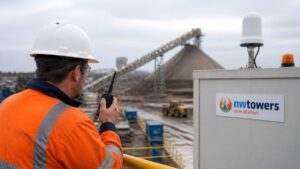
At Northwest Towers, we build rugged wireless gear for mines, ports, and construction sites. The shift we see is simple: safety used to be paper-based and reactive. Now it runs on real-time data.
Three forces drive that change:
The catch is that none of this works without a network you can trust. A dropped link is not an inconvenience on a job site. It is a safety gap. That is why we treat connectivity as a safety system, not an IT afterthought.
The rest of this guide walks through a practical path: survey, technology choice, deployment, security, and measurement.
A wireless site survey checklist starts with one rule: map the site before you buy hardware. Coverage gaps cause most connected safety failures, and they are far cheaper to fix on paper.
Work through these items:
Document everything. A good survey becomes your coverage plan, your procurement list, and your proof that the network meets the safety need.
No single wireless technology fits every site. The right choice depends on distance, terrain, mobility, and how much data your safety tools send.
Here is how the main options compare for industrial use:
| Technology | Typical Range | Best For | Watch Out For |
|---|---|---|---|
| Wi-Fi (industrial grade) | 100-300 feet per access point | Dense areas, offices, plants | Short range, interference from heavy machinery |
| Private LTE / 5G | Site-wide (requires spectrum) | Wide sites, mobile workers | Spectrum licensing and planning complexity |
| Mesh radio | 300-1,000 feet per node | Tunnels, changing layouts | Bandwidth limits at scale; latency grows with hops |
| Point-to-point backhaul | Line-of-sight up to several miles | Linking remote zones to base | Requires clear line of sight; weather can affect signal |
| Bluetooth Low Energy (BLE) | 30-100 feet | Wearable-to-gateway links | Very short range; needs dense gateway placement |
Most real deployments mix two or more. A common pattern is mesh coverage underground feeding a point-to-point backhaul to the surface, with Wi-Fi covering offices and maintenance shops. The key is to match each zone’s risk profile to the technology’s strengths.
Start by dividing the site into zones based on risk and worker density. High-risk zones, such as pit edges, tunnel faces, and processing plants, need redundant coverage and lower latency. Lower-risk zones like parking areas can tolerate simpler, less expensive options.
For each zone, answer three questions:
Document the coverage plan zone by zone. This becomes your procurement list and your installation guide.
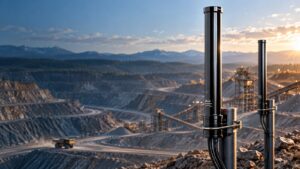
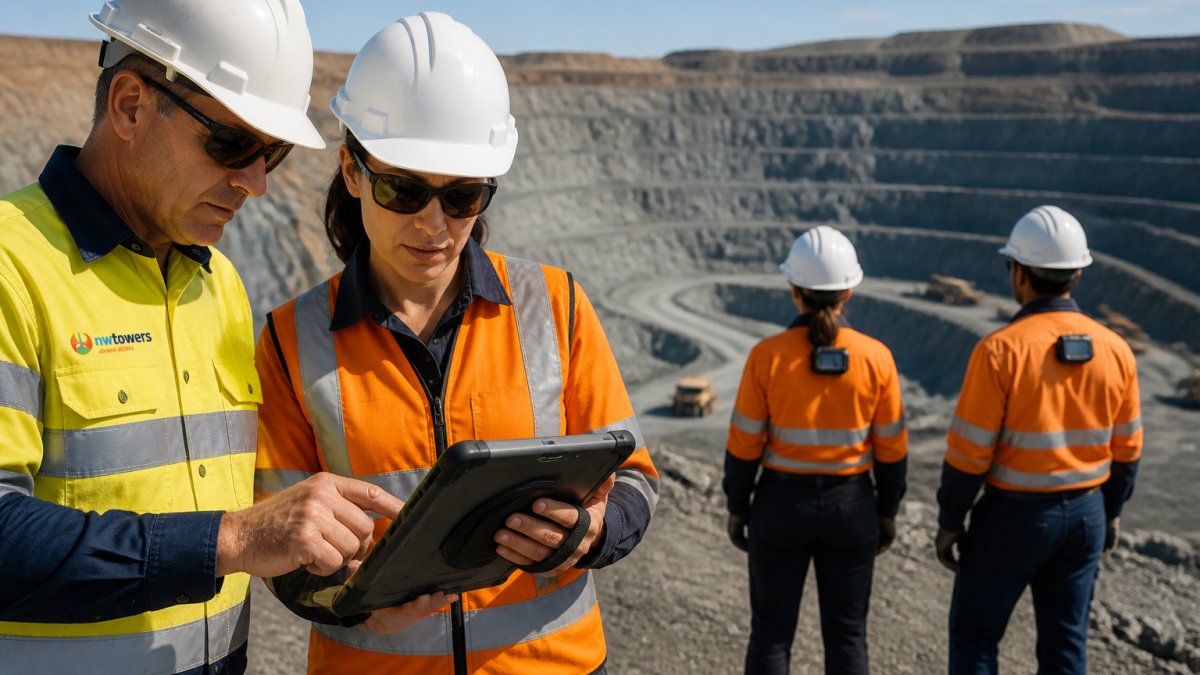
Mining site communication systems face the hardest conditions: deep tunnels, open pits, and processing plants full of interference. Connectivity has to follow workers underground and across the pit, then hand off cleanly to the plant network.
We design for redundancy here. Two paths beat one, every time. If a tunnel link fails, a person-down alert still needs to reach the surface. A common pattern is a primary mesh radio network in tunnels, backed by a leaky feeder or LTE system for critical alerts. Hardening these communication layers requires precise security system installation to ensure that every node remains resilient against the physical rigors of the subterranean environment.
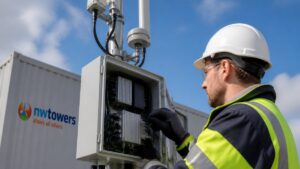
For rugged wireless infrastructure that survives these conditions, explore our industrial wireless solutions.
Deploying connected safety technology follows a repeatable sequence. Skip a step and you inherit problems later.
A pilot deployment in one zone lets you validate coverage, device performance, and worker acceptance before committing to a full rollout. Run the pilot for at least two weeks, including both day and night shifts. Collect data on alert response times, false positives, and battery life. Use the results to refine your design and build the business case for expansion.
Wearables and sensors turn the network into a safety tool. Personal wearables track worker location, motion, and fall events. Fixed smart sensors watch air quality, noise levels, and other hazards.
Real-time monitoring pulls it together. A person-down alert or SOS button press reaches the control room in seconds, and emergency response starts sooner. The network carries the signal. That is the whole point.
For reliable connectivity hardware that supports these deployments, see our rugged wireless products.
Industrial wireless network security protects both the data and the people behind it. A safety network knows where workers are at all times, so it needs strong controls and clear consent.
Build security in from day one:
Worker consent matters just as much. Explain what the wearables track, why, and who sees it. A crew that trusts the system wears it correctly. A crew that does not will find ways around it.
Industrial wireless safety best practices come down to designing for failure. Harsh environments will test every component, so plan for it.
Keep these habits:
That offline procedure is the one most teams forget. Decide now what happens when a link fails: who checks in, how often, and through what backup channel.
Measuring results starts with picking the numbers that matter before you deploy. Track a small set of KPIs and review them on a schedule.
Good measures include:
On cost, pricing depends on site size, technology mix, and service model. A fully managed model such as Network as a Service can cut upfront capital and reduce the need for dedicated IT staff. For current pricing, contact us for a quote.
Wireless connectivity links wearables, sensors, and location tracking to a central platform, so safety teams see hazards and worker status in real time. Fall detection and SOS buttons shorten emergency response, environmental sensors flag air quality or noise issues, and location data helps account for everyone during an evacuation. The result is faster incident response and better accident prevention across the site.
A wireless site survey checklist should cover a physical walkthrough of the site, spectrum analysis for interference, coverage and signal-strength mapping, identification of dead zones and reflective surfaces, capacity planning for devices and cameras, power and backhaul availability, and a plan for environmental factors like dust, vibration, and extreme temperatures. Documenting these items before deployment prevents costly coverage gaps later.
Start with strong authentication and encryption, segment safety and operational traffic from general business traffic, and keep firmware patched. Limit device access with role-based permissions, monitor the network for anomalies, and define an incident response plan. Because mining sites often run remote and temporary infrastructure, physical security of access points and a clear worker consent policy for wearables are also part of industrial wireless network security.
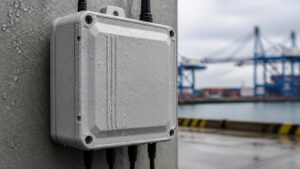
Common causes include interference from heavy machinery and electrical equipment, coverage gaps from terrain or metal structures, insufficient backhaul, power interruptions, and hardware that is not rated for dust, vibration, or temperature extremes. A thorough site survey, rugged IP-rated equipment, redundant backhaul, and proactive monitoring address most of these failure points before they affect safety systems.
Site safety now depends on a network that holds up when conditions turn bad. If coverage gaps, interference, or slow support are putting your crews at risk, Northwest Towers can help. We design and build rugged industrial wireless products, and we back them with network engineering, deployment, and managed services, including Network as a Service with little to no capital investment. Get started with Northwest Towers and build a safety network your crews can rely on.