
Last Updated: September 30, 2026
Standard network design assumes a controlled room: stable temperature, steady power, no vibration, and a technician minutes away. Rugged networking breaks every one of those assumptions at once. When the environment itself attacks the hardware, the design has to be validated against the environment, not against a lab baseline.
That is the thesis behind everything below. At Northwest Towers, we design and manufacture rugged industrial wireless products for mining, ports, construction, utilities, and other demanding sites, and we support that hardware with network engineering, deployment, and managed services. The performance gap between a well-tested rugged network and a default one rarely shows up in a spec sheet. It shows up in a dropped link at shift change.
Rugged networking is the practice of designing, testing, and operating wireless and wired infrastructure that maintains reliable connectivity through extreme temperature, vibration, dust, moisture, and electromagnetic interference. Three failure modes dominate in practice:
The fix is not a better box. It is a testing and design discipline that treats the site as the test chamber. Guidance from the Federal Communications Commission on radio frequency equipment authorization governs how transmitting equipment is certified, but certification is a floor, not a performance guarantee. What follows is how to close that gap.
Expert testing optimizes rugged networking performance by reproducing site conditions before deployment: thermal cycling, vibration, interference, and traffic load are applied to the design in a controlled sequence, so weaknesses surface in a lab instead of at 3 a.m. on a haul road.
The sequence matters. Test in this order and each stage builds on the last:
A common mistake is running step four first.
Stress testing and network simulation for industrial conditions means modeling the site’s worst hour, not its average one. Simulate concurrent traffic from fleet telematics, video, and control systems, then add the environmental load on top.
Performance benchmarking for rugged networks tracks four measurements, and all four must be recorded under environmental load, not just idle conditions.
| Metric | What It Measures | Why It Matters On Site | Typical Failure Trigger |
|---|---|---|---|
| Latency | Round-trip delay | Control loop timing | Long wireless hops, retries |
| Throughput | Sustained data rate | Video and telemetry volume | Interference, channel width |
| Packet loss | Dropped frame rate | Data integrity | Marginal signal, congestion |
| Jitter | Latency variation | Voice and real-time control | Queueing, roaming events |
Industrial wireless network design best practices start with topology: design for the failure you expect, not the uptime you hope for. Redundant paths, documented failover mechanisms, and QoS rules that protect control traffic above video and guest access.
The design decisions that decide whether a site performs:
Rugged networking equipment testing standards define the environmental and performance thresholds a device must survive before it is trusted on site. Ingress protection ratings, vibration profiles, thermal ranges, and electromagnetic compatibility are the core categories. But the standards only matter if you test against them correctly, and most teams stop at pass/fail when they should be tracking performance drift.
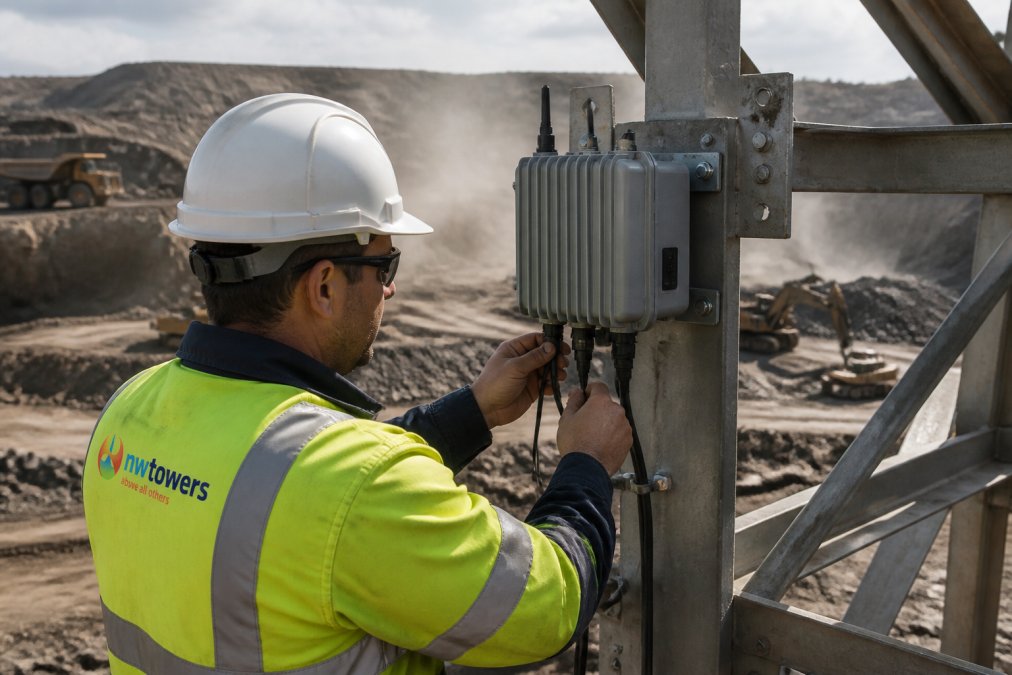
A robust protocol includes these stages:
For teams that need proven rugged hardware, our rugged networking equipment is designed and tested to these exact standards, with published thermal derating curves and vibration profiles.
Wireless signal interference mitigation in ports is harder than in most industrial settings because the interference is mobile, metallic, and constantly changing. Container stacks, gantry cranes, and ship-to-shore equipment reshape the RF environment hour by hour.
Effective mitigation combines four levers:
Edge computing and automated testing for network resilience move processing and validation closer to the equipment, which shortens the failure path and speeds up detection. But most guides stop at the concept. The real value is in the specific mechanisms: how edge nodes reduce backhaul dependency, and how automated CI/CD pipelines catch configuration errors before they cause outages.
The hard part is not choosing rugged hardware. It is proving, before deployment, that the design survives the site’s worst conditions. That requires environmental stress testing, realistic performance benchmarking, and automated validation of every configuration change.
The metrics that matter most are latency, throughput, packet loss, and jitter. In rugged environments, you also need to track bandwidth utilization under peak load and failover recovery time. For mining and port operations, latency above 50ms can disrupt real-time monitoring and autonomous vehicle control. Packet loss above 1% degrades video feeds and sensor data. Expert testing establishes baselines for each metric so you can detect degradation before it affects operations.
Vibration loosens connectors, cracks solder joints, and causes antennas to shift alignment, which degrades signal quality over time. Extreme temperatures expand and contract materials, stressing seals and accelerating corrosion. Hardware tested to standards like IP67 and MIL-STD-810 survives these conditions because it is validated through environmental stress testing protocols. Without that validation, equipment may pass initial deployment but fail within months when vibration and thermal cycling take their toll.
Start with a site survey to map interference sources such as motors, welders, and radar. Then design around them using licensed spectrum where possible, directional antennas, and QoS policies that prioritize control traffic over bulk data. Expert testing validates the design by simulating peak interference conditions. For ports specifically, interference mitigation combines frequency planning, antenna placement, and real-time monitoring to catch new interference sources as they appear.
Standard network design assumes controlled temperature, stable power, and minimal physical stress. Ruggedized design accounts for vibration, dust, moisture, temperature swings, and electromagnetic interference. It uses IP-rated enclosures, redundant power paths, failover mechanisms, and hardware validated through environmental stress testing. The design process also includes longer site surveys, more conservative link budgets, and spare parts planning. The result is a network that maintains uptime in conditions that would cause standard equipment to fail.
An expert site survey identifies obstacles, interference sources, and coverage gaps that datasheets cannot predict. Testing validates that the design performs under real conditions, not just laboratory benchmarks. For example, a port with moving container cranes creates dynamic interference that only appears during operation. Without testing under those conditions, you risk deploying a network that works on paper but fails when it matters. Northwest Towers provides network design, audit, and monitoring services that include this level of validation.