
Last Updated: November 8, 2026
Quick Summary
Running AI on edge gateways means the gateway device runs the model itself on local processing hardware instead of sending sensor data to a distant data center. Decisions happen in milliseconds, bandwidth bills drop, and the system keeps working when the uplink drops. Heavy model training stays in the cloud while lightweight inference moves to the gateway.
Running AI on edge gateways means the gateway device runs the AI model itself, on local processing hardware, instead of shipping sensor data to a distant data center.
Here is the core tension. Cloud computing gives you unlimited compute and easy model updates. Edge computing gives you speed, privacy, and offline operation.
For industrial IoT work, speed usually wins. A safety stop decision cannot wait on a round trip to a cloud region. A camera inspecting a conveyor belt cannot stall because a cellular link is congested.
Edge AI is the practice of running trained models close to the field devices that produce the data. It sits alongside cloud-edge architecture rather than replacing it: heavy model training stays in the cloud, and lightweight inference moves to the gateway.
But first, here is what most guides get wrong. They treat the gateway as a small server. It is not. It is a sealed, fanless, vibration-tested box with tight power and thermal limits. That changes every choice you make about hardware and models.
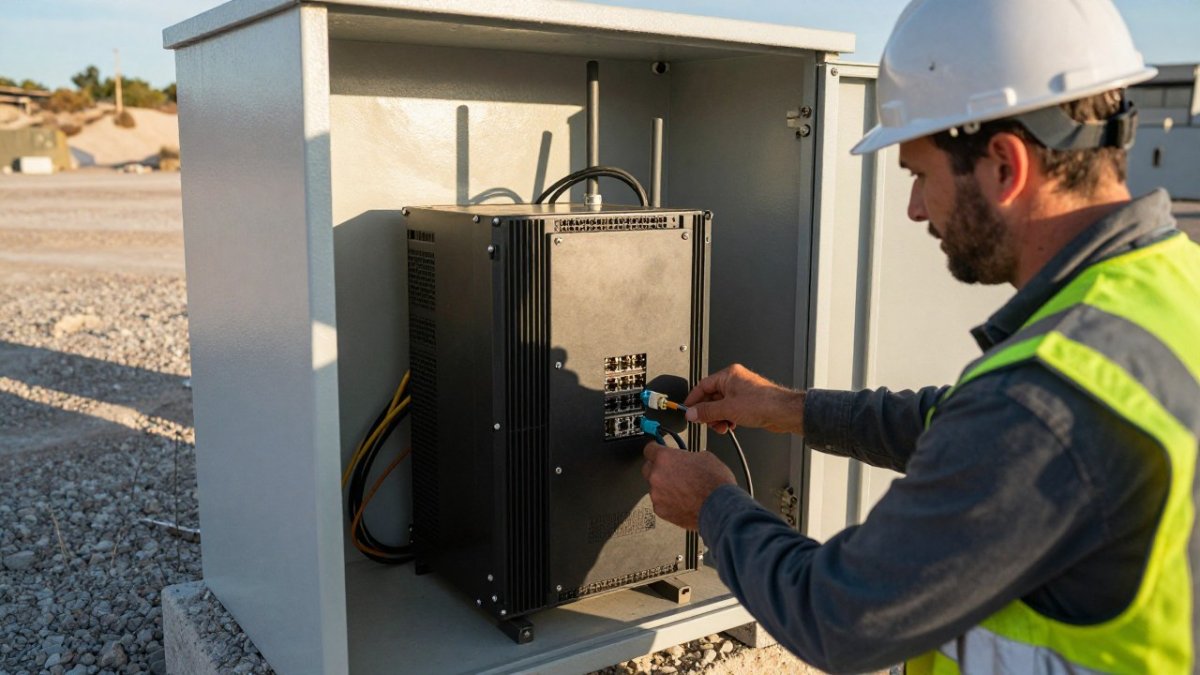
The right gateway for AI work has enough CPU, memory, storage, and power headroom to run inference continuously at your site’s ambient temperature. To compare industrial gateways with edge computing and rugged routers for harsh sites, see how to replace traditional industrial gateways.
Start with the workload, not the spec sheet. Use this decision matrix to match model class to gateway capability:
| Model class | Typical example | Minimum CPU | RAM | Accelerator | Storage |
|---|---|---|---|---|---|
| Tiny anomaly detection | Vibration or temperature thresholds | 4-core ARM Cortex-A53 | 2 GB | None | 8 GB eMMC |
| Light image classification | PPE detection at 1-5 FPS | 4-core ARM Cortex-A72 | 4 GB | Integrated GPU | 16 GB eMMC |
| Object detection | Conveyor jam detection at 10-15 FPS | 6-core x86 or 8-core ARM | 8 GB | Entry-level NPU or GPU | 32 GB eMMC or SSD |
| Multi-camera video analytics | 4+ streams at 15-30 FPS | 8-core x86 | 16 GB | Dedicated AI accelerator | 64 GB SSD |
RAM
Match the accelerator to your inference runtime. A model built for one runtime may not use the accelerator at all on another. For example, a TensorFlow Lite model compiled for an Edge TPU will not run on a GPU without conversion. Confirm runtime support before you buy hardware.
Memory constraints bite harder than most teams expect. A quantized model may fit, but the runtime, buffers, and operating system also need room.
Storage capacity matters for model versions, logs, and buffered sensor data during offline operation. Plan for at least two model slots so you can roll back. A 32 GB eMMC fills quickly when you keep 7 days of inference logs and buffered sensor data.
Power consumption is the quiet constraint. A gateway on a solar and battery setup cannot absorb a spike-hungry accelerator. Check the sustained draw, not the peak rating. Many accelerators draw 5-15 W continuously under inference load, which adds up over a 24-hour duty cycle.
Thermal limits are equally critical. A fanless gateway rated for 70°C ambient may throttle its CPU or accelerator at 60°C internal temperature.
If you are budgeting power for remote cabinets, our rugged power supplies are available for remote sites.
A clean, reproducible build saves weeks later. Set up the environment once, then image it across every gateway.
A common mistake is skipping step six. A model that runs on your desk may fail on a unit with a different thermal profile.
Need switches, radios, or routers to complete the build? Browse our rugged network equipment for harsh sites.
Deploying AI models on edge devices follows a repeatable path: train in the cloud, convert to a lean format, test, then push. The conversion step is where most projects stall.
Conversion turns a training-format model into a format your runtime can execute, such as TensorFlow Lite or ONNX. Quantization then shrinks the numbers inside the model, cutting memory use and speeding up inference.
Model optimization does not stop at quantization. Pruning removes weights that barely matter (TensorFlow Model Optimization Toolkit, Pruning API). Both techniques trade a little accuracy for a lot of headroom.
Edge AI use cases on industrial gateways cluster into a few patterns we see repeatedly in the field.
Each pattern shares one trait: the decision must happen at the field device, not after a network hop.
Production operations across multiple gateways is where pilots die. One device is easy. Fifty devices across three sites demand a deployment pipeline, not manual visits.
Provision each gateway with a unique device identity and a signed configuration profile before it leaves the bench. Use a hardware root of trust, such as a TPM or secure element, to store keys and attest device integrity at boot. Automate enrollment into your fleet management system so a new gateway registers itself and pulls its first model version without manual steps.
A common pattern is to image a golden firmware build, inject per-device credentials, and run a self-test that verifies inference on a known input. Only gateways that pass the self-test should be shipped.
Treat models and firmware as versioned artifacts. Store every model with a semantic version, a checksum, and the runtime version it requires. Push updates in stages: canary (1-2 gateways), then a small percentage, then the full fleet. Monitor inference confidence and error rates at each stage.
Always keep the previous model slot intact so you can roll back with a single command. A rollback plan should include both the model and the runtime, because a runtime update can break a model that previously worked.
Watch out: pushing a model update without a rollback path is the most common cause of fleet-wide outages in edge AI deployments.
Log inference confidence, latency, and resource usage per device. Set alerts for slow declines in confidence, which often indicate data drift or a failing sensor. Aggregate logs centrally but buffer locally so a network outage does not lose telemetry.
Gateways must keep running local decision-making when the uplink fails. Design for three states: connected (sync logs and model updates), intermittent (buffer data and retry with backoff), and offline (continue inference, queue results, and reconcile when connectivity returns). Test each state explicitly by disconnecting the uplink during a pilot.
For a deeper look at the architecture and its trade-offs, read our guide on industrial edge computing for real-time operations.
Edge AI best practices on industrial sites come down to hardening and honesty about limits.
Watch out: skipping firmware updates on an internet-reachable gateway is the most common security gap we find, and it turns a hardened device into an open door.
Running AI on edge gateways works when the hardware, the model, and the network are designed together. Most teams get one right and lose the other two.
We design, deploy, and monitor industrial networks for exactly these conditions. Our Network as a Service offering covers network design, deployment, and monitoring, so your team does not have to operate the network alone.
You get rugged, field-proven equipment and network services designed for remote industrial sites.
Get started with Northwest Towers and run AI where the work actually happens.
The hard part is not picking a model. It is trusting a sealed box in a dusty cabinet to make decisions for years. That takes hardware built for the environment and a partner who has deployed it before. Northwest Towers builds rugged networking gear and backs it with network design, deployment, and managed services, including proactive monitoring for power and environmental anomalies. Get started with Northwest Towers and put inference at the edge of your network.
An edge gateway running AI needs four things: a CPU with at least four cores for orchestration and I/O, an AI accelerator such as an integrated NPU or a discrete module for inference, enough RAM to hold the model and working tensors (often 4 GB minimum, more for vision models), and industrial-grade storage. It also needs a wide-temperature rating, fanless or IP-rated housing, and redundant power input. Match the accelerator to your model type before you buy, because CPU-only inference is slow for vision workloads.
Package the converted model and its inference runtime into a container image, then push it through a deployment pipeline that targets each gateway. Use a device management platform to roll out updates in stages, verify a health check on a small group first, and keep the previous model version on disk for rollback. For deploying AI models on edge devices at scale, sign the image, track versions per site, and schedule updates during maintenance windows so a failed push never leaves a gateway without a working model.
The recurring problems are memory constraints that force model size down, thermal limits in sealed enclosures, unreliable power at remote sites, and model drift as field conditions change. Network outages also matter: if the gateway cannot reach the cloud, the model must keep running locally and buffer results. Plan for quantization and pruning to fit the model, test in the actual enclosure, and set up monitoring so you learn about a degraded model before operations notices wrong decisions.
Yes, provided the gateway is built for the environment. Industrial gateways with IP-rated enclosures, wide operating temperature ranges, and vibration-tolerant mounting can host on-device inference for tasks like equipment vibration analysis, sensor anomaly detection, and camera-based safety monitoring. The key is sizing the accelerator to the workload and confirming power and cooling inside the enclosure. Rugged wireless hardware and professional network design can help keep the gateway connected while inference runs locally.