
Last Updated: November 4, 2026
Quick Summary
Heavy machinery causes wireless signal drops in two ways: solid metal blocks and reflects radio waves, while electrical noise from VFDs, welders, and large motors corrupts the signal on the same frequency. Tell them apart by checking whether the signal is weak everywhere near the machine (blockage) or strong but stuttering (interference).
Wireless signal drops near heavy machinery come from two separate problems that look identical on a status dashboard: the signal is being physically blocked, or it is being drowned out by electrical noise. Northwest Towers builds rugged antennas and networking equipment for demanding industrial sites. A dropped connection near a processing plant is rarely one fault. It is usually a weak link meeting a noisy room.
Most teams treat every outage as a coverage problem. They add another access point, the drops continue, and the budget disappears. The fix starts with knowing which of the two problems you actually have.
Signal blockage happens when a solid object absorbs or reflects radio waves before they reach the receiver. Radio-frequency interference happens when another electrical source emits energy on the same frequency and corrupts the signal.
The difference matters because the fixes are opposite. Blockage responds to better placement and more antennas. Interference responds to filtering, shielding, and channel changes. Add an access point to an interference problem and you amplify the mess. When interference is the culprit, checking whether metal surfaces are creating magnetic wall interference can help distinguish a shielding problem from a crowded channel.
A quick way to tell them apart: if the signal is weak everywhere near the machine, suspect blockage. If the signal is strong but the connection still stutters, suspect interference.
Attenuation in WiFi signals is the loss of signal strength as radio waves travel through or around obstacles. Every material costs you some signal, and metal costs you the most. But not all metal is equal, and the frequency you use changes the math.
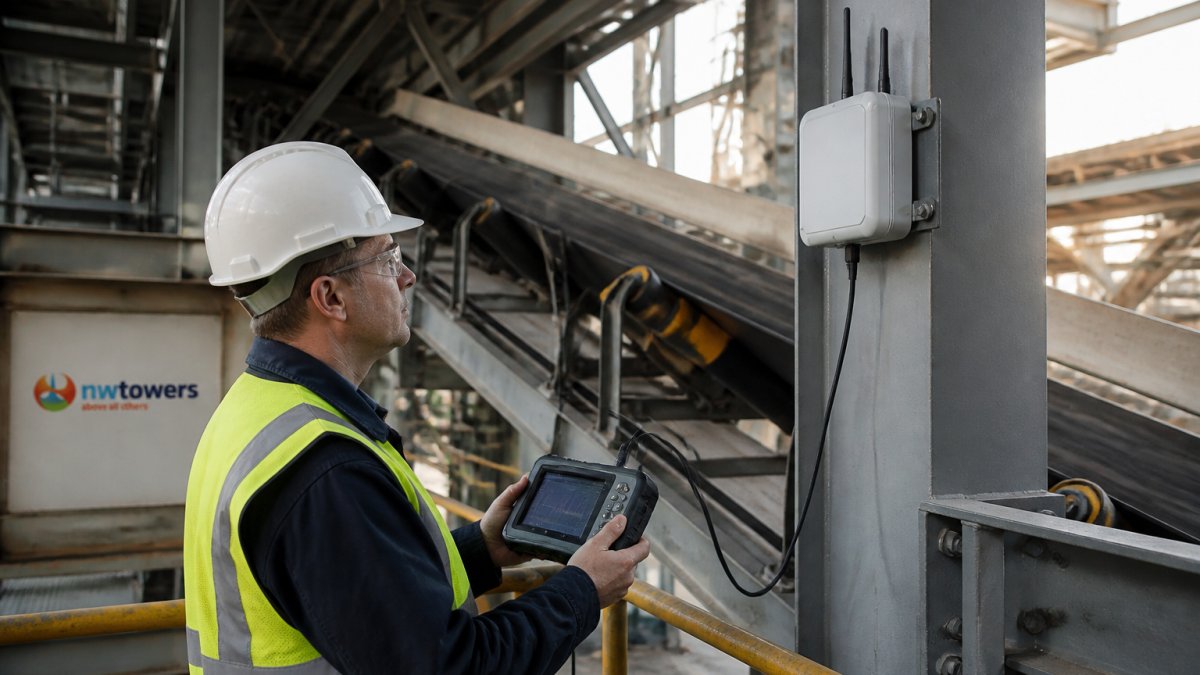
Radio waves at 2.4 GHz and 5 GHz behave differently around metal:
The higher the frequency, the worse the effect. A 5 GHz band struggles more with metal than a 2.4 GHz band does, which is why 5 GHz gives you speed but not reach. This is not a reason to abandon 5 GHz in industrial settings, it is a reason to plan access point density around it. A common pattern is to use 5 GHz for fixed equipment with clear line of sight and 2.4 GHz for mobile assets that move behind obstructions.
Watch out: assuming a single attenuation number for “metal” will lead you to under-design coverage. A thin metal panel and a loaded steel rack behave very differently.
Wireless interference causes in industrial settings are mostly electrical, not structural. The building blocks the signal; the equipment corrupts it. Here is what we find most often on site:
A VFD switches power on and off thousands of times per second. That switching creates broadband electrical noise, and it leaks out through cables and enclosures. Welding equipment does the same thing in bursts. The result is packet loss, latency spikes, and a connection that drops the moment a motor ramps up.
This is the part most guides miss. The interference is not constant. It follows your production schedule, which makes it maddening to troubleshoot with a single walk-around test.
Detection is a process, not a guess. Here is the workflow we use to find the interference source:
If you would rather hand this to specialists, our team provides industrial wireless site surveys to help pinpoint the source.
Watch out: testing only during a quiet shift is the most common mistake. The noise that breaks your network often only appears when production is running.
Good industrial wireless network design assumes the environment is hostile. Plan for metal, vibration, dust, and electrical noise from day one, not after the first outage.
That means a few deliberate choices:
For a deeper walkthrough, our complete guide to wireless network design covers the full planning process.
Reducing wireless signal drops comes down to a prioritized sequence: fix placement, change channels, harden the hardware, and separate noise from signal. But the order matters, and each step has industrial-specific trade-offs that generic office advice ignores.
Start with placement. Move access points out of the shadow of large steel structures and into line of sight with the equipment they serve. In a factory, that often means mounting on columns or overhead crane rails rather than walls. Aim for a clear Fresnel zone, the elliptical area around the line between antennas, because even partial obstruction by a conveyor or pipe rack can cause significant loss. A common target is to keep at least 60% of the Fresnel zone clear at 5 GHz.
Then review channel assignments to avoid overlap. In the 2.4 GHz band, use only channels 1, 6, and 11 to prevent co-channel interference. In the 5 GHz band, prefer the UNII-3 channels (149-165) for higher power and less congestion, but verify that your equipment supports them. Use a channel plan that accounts for machinery that emits broadband noise, VFDs and welders can raise the noise floor across multiple channels, so a clean channel today may be unusable during production.
Next, swap in equipment rated for vibration, dust, and temperature swings. Industrial access points with rugged, environmentally rated enclosures are built to survive where consumer gear fails. Shielded cabling and proper grounding are not optional; they prevent electrical noise from coupling onto data lines. For sites that need a rugged fix at the antenna, our dual-band MIMO mining antenna is built for open-pit and industrial wireless where vibration and dust are constant.
Finally, isolate noisy equipment on its own power circuits where possible. VFDs and welding equipment should have dedicated circuits with proper filtering. Physical separation, keeping access points and antennas at least several feet from VFD cabinets, reduces coupling. If drops persist, consider a spectrum analyzer to identify non-Wi-Fi noise that channel changes cannot fix.
Fixing vibration-related drops in high-vibration sites is its own challenge. We cover that in our article on stabilizing wireless signals in high-vibration mines.
| Problem | Likely Cause | Fix | Impact |
|---|---|---|---|
| Weak signal near machine | Blockage | Reposition access point | Restores coverage |
| Strong signal, constant drops | Electrical noise | Change channel, shield cabling | Cuts packet loss |
| Drops only during production | VFD or welder noise | Isolate circuits, filter | Stabilizes link |
| Slow speeds site-wide | Channel overlap | Reassign channels | Improves throughput |
| Drops during equipment movement | Multipath | Directional antennas | Reduces reflections |
Watch out: applying these fixes without a baseline measurement makes it impossible to know which change helped. Record signal strength, packet loss, and latency before and after each step so you can attribute improvements correctly.
A network audit before deployment costs far less than an outage during it. An audit maps the noise floor, checks coverage, and confirms your design will hold up before crews arrive.
Our network design and build service covers network engineering and deployment, so you get a network that is planned before it goes live.
Starting a motor or drive creates a burst of electromagnetic interference that raises the noise floor around your access point. The radio has to work harder to separate the data signal from that noise, so throughput falls and the link can drop entirely. Variable-frequency drives, welding machines, and large conveyor motors are the usual culprits because they switch power rapidly. If drops line up with equipment start cycles, the cause is electrical noise rather than distance, and shielding, grounding, and antenna placement are the first things to check.
Yes. Metal reflects and absorbs radio waves, which is the root of attenuation in WiFi signals. A steel wall, a reinforced concrete floor, or a parked haul truck between the access point and the client can cut signal strength sharply, and reflections off multiple metal surfaces create multipath propagation that confuses the receiver. This is why a strong signal reading at one spot can collapse a few feet away. Site surveys that map attenuation around metal structures, not just open-floor coverage, give you a realistic picture.
Separate the two problems before you buy anything. Move antennas out of the shadow of large metal structures and raise them above equipment height. Ground and shield drives, motors, and welding circuits to cut electrical noise. Then use the 5 GHz band where range allows, since it usually carries less interference than 2.4 GHz. For mobile sites, rugged equipment and a well-planned network design help keep links alive as equipment moves. A structured industrial wireless network design review usually catches these issues before deployment.
Run a spectrum analysis while the equipment is running, not while the site is quiet. Compare noise floor readings with machines off and on, and watch for spikes tied to start cycles. Check channel utilization and packet loss on the access point, then walk the floor with a site survey tool to map signal strength around metal structures. Correlating drop timestamps with equipment schedules is the fastest way to confirm whether you are chasing RF interference or plain signal blockage.
Heavy machinery will always fight your wireless network. The question is whether your design expects the fight. Northwest Towers builds rugged antennas and networking gear for harsh sites, backed by network audits, design, and managed Network as a Service so your team stays focused on operations. Get started with Northwest Towers and deploy a network that holds up when the motors start.