
Last Updated: October 18, 2026
Wireless network design is the process of planning radio frequency coverage, capacity, and infrastructure so client devices stay connected across a defined physical area. At Northwest Towers, we treat it as an engineering discipline, not a hardware purchase. The design comes first; the equipment list comes last.
That distinction matters on industrial sites. A mining operation, a port terminal, and a construction job site each impose different constraints on signal propagation, device density, and physical durability. A design that ignores those constraints fails in the field, usually at the worst possible moment.
Below, we’ll walk through the full workflow we use, from the wireless site survey to post-deployment monitoring, so you can scope a network that holds up to weather, vibration, dust, and mobile equipment.
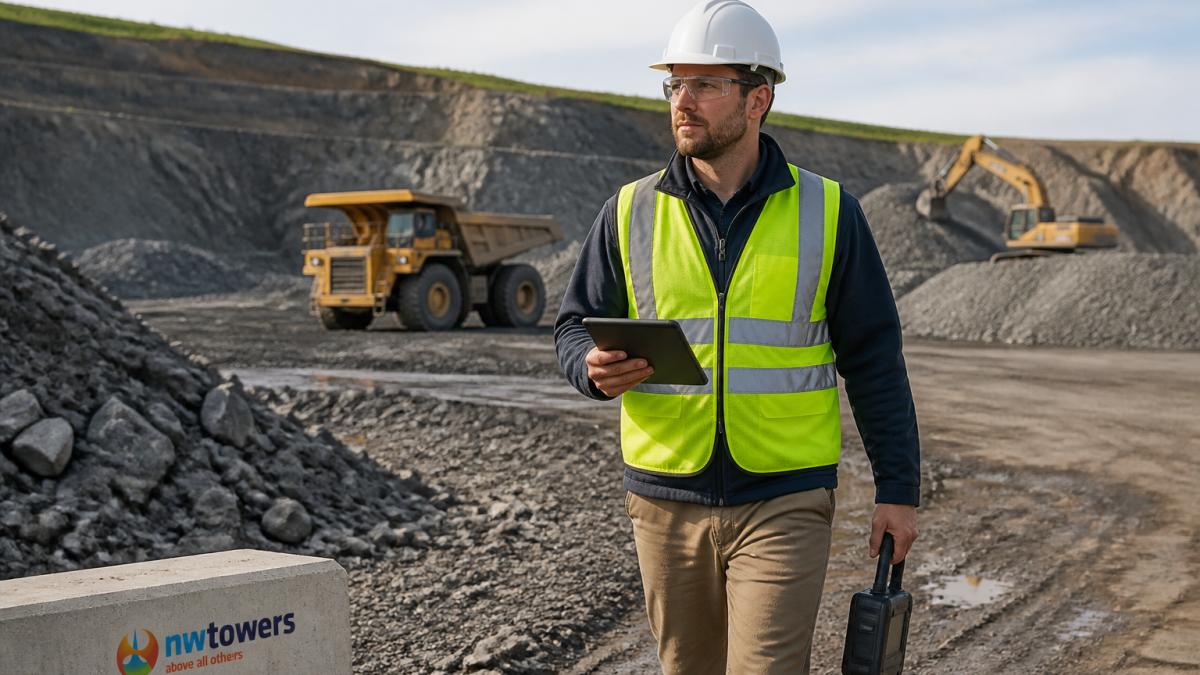
A wireless site survey is a structured assessment of the physical environment and radio frequency conditions before any equipment is specified. Skipping it is the most common mistake we see. Teams buy access points, mount them where the cable reaches, and then wonder why coverage collapses near a processing plant.
A proper survey has three layers:
Document all three. The survey output becomes your design input, and it is the artifact you return to when a coverage complaint arrives six months later.
Wireless network coverage planning defines where signal must exist, at what strength, and under what environmental conditions. On harsh sites, the environment is the variable that breaks most plans.
Metal structures reflect and absorb radio frequency energy. Stockpiles, haul trucks, and shipping containers shift position and change the propagation path from one week to the next. Dust and precipitation attenuate signal. Extreme temperatures stress hardware enclosures.
Coverage area planning therefore needs margin. We design to a target signal strength with headroom above the minimum the application requires, then verify it against the worst-case layout rather than the tidy one.
Indoor coverage and outdoor coverage need separate treatment. Indoor spaces have predictable boundaries and controlled materials. Outdoor coverage extends across open terrain where antenna height, terrain profile, and seasonal foliage all matter.
Capacity planning is the practice of sizing the network for the number of client devices and the throughput each one needs, not just for signal presence. Coverage without capacity produces a network that shows full bars and still stalls.
Start with user requirements. What is the intended use? A telemetry stream from a pump monitor and a live video feed from a haul truck camera place very different demands on the network. Build a device inventory that captures not just counts but behavior:
| Device Category | Typical Count per Zone | Bandwidth Profile | Latency Sensitivity | Priority |
|---|---|---|---|---|
| Telemetry and sensors | High | Low, steady | Low | Medium |
| Mobile fleet terminals | Medium | Bursty | Medium | High |
| Voice and push-to-talk | Medium | Low, steady | High | High |
| Video and inspection feeds | Low | High, sustained | Medium | Medium |
| Crew personal devices | High | Variable | Low | Low |
Device density drives AP density, but the mechanism is airtime, not raw device count. Each access point radio has a finite amount of airtime per second, and every frame, management, control, and data, consumes a slice.
A practical rule most practitioners use is to keep utilization below roughly 70 percent of available airtime per radio during the peak shift, leaving headroom for retries, roaming, and management traffic. Above that threshold, latency climbs and retries compound.
Application-specific quality of service belongs in the capacity model, not bolted on later. Voice and push-to-talk need consistent latency and low jitter; video needs sustained throughput; IoT telemetry needs reliability more than speed. Map each device category to a QoS profile and a Wi-Fi Multimedia (WMM) access category so the network prioritizes the right traffic when airtime gets tight.
Document the capacity model as a deliverable: device counts per zone, throughput and latency targets per category, airtime utilization estimates, and the QoS mapping. That document becomes the acceptance baseline after deployment and the starting point for every future capacity review.
Access point placement determines whether your coverage plan survives contact with reality. AP placement follows from the survey data: mount where the coverage model says, at the height the model assumes, with line of sight to the areas that matter.
AP density and channel planning are linked. More access points mean more radios competing for spectrum.
Channel interference is the silent killer. A channel plan that ignores neighboring systems, or that lets adjacent APs share a channel, produces co-channel interference that no amount of transmit power fixes. Plan channels deliberately, and re-verify after deployment.
Newer spectrum changes the calculus. Wi-Fi 6E opens the 6 GHz band, which adds substantial clean spectrum and reduces overlap with legacy 2.4 GHz and 5 GHz traffic. Wi-Fi 7 builds on that with wider channels and multi-link operation.
Backhaul network design belongs in this step too. Every access point needs a path to the core, whether fiber, copper, or a wireless backhaul link. Backhaul capacity must exceed the aggregate client throughput the AP is expected to serve, with headroom for management and future growth.
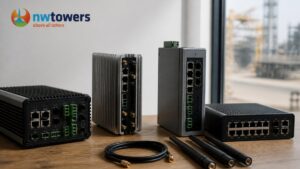
Hardware selection for the radio and antenna layer should account for IP-rated enclosures, vibration tolerance, and power options suited to remote locations. This is the category Northwest Towers builds for, and our rugged industrial wireless hardware is designed around exactly these constraints, from antennas to enclosures that hold up in the field.
An industrial wireless mesh network connects access points and endpoints through self-healing radio links rather than fixed cable runs. It earns its place when cabling is impractical, when the topology changes, or when mobile equipment needs continuous connectivity across a wide area.
Mesh is the right choice when:
Mesh is the wrong choice when a stable, high-capacity fiber backbone is available and the topology is fixed. Mesh links share spectrum with client traffic, so a mesh-heavy design needs careful capacity planning.
Hardware selection for mesh nodes should account for IP-rated enclosures, vibration tolerance, and power options suited to remote locations. This is the category Northwest Towers builds for, and our rugged industrial wireless hardware is designed around exactly these constraints.
The best wireless network design best practices are the ones that survive a real site, a real winter, and a real hardware failure. These are the habits we return to on every project:
Network validation closes the loop. On-site testing after deployment confirms the design performs as modeled, and a post-deployment monitoring plan catches drift before it becomes an outage. Northwest Towers supports this stage with network design, audit, and monitoring services, plus managed Network as a Service for teams that would rather not staff it internally.
Designing reliable connectivity for a harsh industrial site is a discipline: survey, plan coverage and capacity, place access points deliberately, and validate what you built. The teams that get this right treat wireless network design as an engineering process with documented deliverables, not a shopping list.
If you are scoping a network for a mine, port, construction site, or utility, Northwest Towers can help. Our portfolio covers rugged antennas and networking equipment, and our team provides network engineering, deployment, integration, and managed NaaS so you get both purpose-built hardware and the expertise to run it. Contact us to start your design.
A sound wireless network design follows a fixed sequence. First, gather user requirements and intended use cases. Second, run a wireless site survey to map the physical environment and existing RF conditions. Third, complete coverage and capacity planning, including AP placement and channel planning. Fourth, select hardware rated for the site. Fifth, deploy and validate with on-site testing. Sixth, monitor the network after handover. Skipping the survey or validation step is the most common reason industrial networks underperform.
Wireless network coverage planning on an industrial site starts with a physical walk-through. Note building materials, metal structures, racking, tanks, and equipment that absorb or reflect radio frequency. Map where client devices actually travel, not just where people sit. Then model signal propagation for the 2.4 GHz and 5 GHz bands, add overlap for roaming, and verify with an on-site survey. Coverage that looks fine on a floor plan often fails next to a steel structure or a running conveyor.
An industrial wireless mesh network fits when running fiber or cable to every location is impractical, expensive, or temporary. Examples include open-pit mines, remote construction sites, port yards, and widely spaced utility assets. Mesh nodes route traffic around a failed link, which improves reliability where single points of failure are unacceptable. Mesh is not the right answer for every site, though. High-density indoor areas with structured cabling available usually perform better with a conventional AP and backhaul network.
Dust, vibration, extreme temperatures, and moisture all degrade wireless performance over time. Metal structures and moving machinery cause multipath and shadowing. Electromagnetic interference from motors, drives, and processing equipment raises noise floors. To counter this, specify IP-rated hardware, plan for antenna diversity, and keep APs away from known interference sources. A wireless site survey before deployment and periodic validation afterward catch most of these problems before they affect operations.
Test with a combination of on-site surveys, throughput and latency measurements, and roaming checks across the coverage area. Walk the site with client devices representative of real use. After deployment, monitor signal strength, channel interference, and client counts continuously. When issues appear, compare current readings against the baseline from the original survey. Northwest Towers provides network design, audit, and monitoring services that include proactive anomaly detection, so operations teams get alerts with context rather than raw data.
Survey before you buy hardware. Design for the devices and applications the site will actually run, not a generic average. Keep channel planning deliberate, especially in dense areas. Leave headroom in capacity planning so the network scales. Validate with on-site testing before sign-off, and monitor after handover. Document the design so future changes do not break it. These wireless network design best practices matter more in industrial settings because downtime is measured in production losses, not just user frustration.