
Last Updated: September 30, 2026
Managed Network as a Service (NaaS) is a subscription model where a provider designs, deploys, monitors, and maintains your network infrastructure for a recurring fee instead of you buying hardware outright. For industrial operations, the question of whether managed network as a service is worth it usually comes down to one thing: whether predictable monthly costs and fewer internal headaches outweigh the control you give up.
At Northwest Towers, we build rugged wireless hardware and back it with managed services, so we see both sides of this decision every week. Below, we break down the real trade-offs, the pricing structures, and the questions most vendors avoid. The short answer: NaaS pays off when your sites are remote, harsh, or temporary, and it rarely pays off when you have a large, stable, well-staffed network team already in place.
Definition: Managed Network as a Service is an outsourced networking model that bundles hardware, software, monitoring, and support into a single subscription, shifting network costs from capital expenditure to operational expenditure.
The clearest benefit of managed network services is that connectivity stops being your problem to staff. Mining, ports, construction, and utility sites rarely sit near a fiber drop, and the people who understand both radio frequency behavior and industrial protocols are hard to hire and harder to keep.
A second benefit is proactive monitoring. Good providers watch power quality, weather patterns, and environmental anomalies that precede outages, not just the outage itself. That distinction matters when a failed link halts a haul truck fleet or a port crane.
The trade-off is real, though. You are renting expertise, and if the provider is slow to respond, you feel it. Ask any operations director who has waited weeks for a replacement radio in February.
Managed network services pricing models generally fall into three shapes: per-site subscription, per-device subscription, and usage or bandwidth tiers. Most industrial contracts blend two of these, because a remote pit site and a port terminal rarely carry the same load. A fourth model, a managed service layered on hardware you already own, is common when a site has working radios but no one to monitor them.
Because every site is different, pricing depends on quantity, coverage area, and delivery timeline. Northwest Towers quotes each project individually rather than publishing a rate card, since a two-radio construction link and a full port network are not comparable jobs.
Most articles stop at “OpEx is predictable, CapEx is upfront.” That is not a decision. The decision comes from adding four cost buckets that rarely appear on a quote:
Run those four buckets against the subscription quote. In many industrial deployments, the subscription looks more expensive on the invoice and less expensive once downtime and labor are counted.
The subscription model spreads cost across the contract term and keeps hardware refresh inside the fee. Capital purchase puts the full cost on your books upfront but leaves you owning the asset.
| Cost Factor | Subscription (OpEx) | Capital Purchase (CapEx) |
|---|---|---|
| Upfront outlay | Low or none | Full hardware cost |
| Hardware refresh | Included | Your budget |
| Spare parts and repair | Provider-managed | Your responsibility |
| Internal IT hours | Reduced | Significant |
| Asset ownership | Provider | You |
| Best for | Temporary or remote sites | Long-life, staffed sites |
A total cost of ownership comparison should include the labor you currently spend on troubleshooting, the spare parts you stock, and the downtime cost per hour. Many teams only count the invoice.
Few operations start from a blank slate.
For the hardware layer that makes any of these models work in the field, see our rugged industrial wireless networking equipment.
Rugged industrial wireless networking is the hardware layer that decides whether any managed service can actually deliver. Software monitoring cannot compensate for an antenna that corrodes in coastal salt air or a radio that fails under constant vibration.
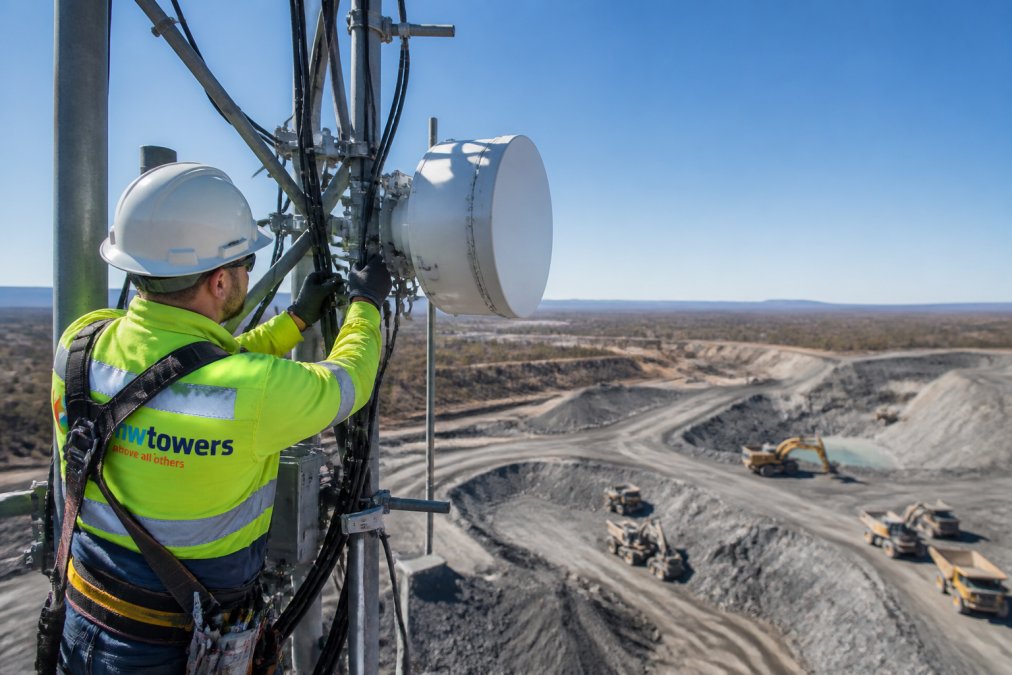
A traditional managed service provider runs your existing network and responds to tickets. A NaaS provider typically owns the hardware lifecycle, provisions new sites, and carries more of the performance risk.
Two clauses decide whether a NaaS contract is worth signing: the service level agreement and the exit terms. Most buyers scrutinize the first and ignore the second, then discover the problem years later. This section gives you a checklist for both.
Push for specific numbers rather than words like “prompt” or “best effort.” A serviceable industrial SLA typically specifies:
Our managed Network as a Service offering is built around these terms, see how it works.
The honest answer to whether managed network as a service is worth it depends on your sites, not your industry. Remote, harsh, or temporary locations with thin IT staffing tend to benefit most, while large permanent facilities with strong internal teams often do not.
For smaller operations, managed network as a service can still deliver value by eliminating the need for dedicated IT staff and shifting costs from capital expenditure to predictable operational expenditure. The key is finding a provider that scales the service to your site count and coverage area. Northwest Towers offers NaaS with little to no capital investment, making it accessible for operations that cannot justify a full-time network engineer.
Pricing depends on several factors: the number of sites or nodes covered, the complexity of the network architecture, the level of monitoring and support required, and whether hardware is included in the subscription. Remote or harsh-environment deployments may carry higher costs due to specialized equipment and logistics. Most providers offer per-site or per-device subscription models, while others bundle hardware, software, and support into a single monthly fee.
Traditional managed services typically involve outsourcing monitoring and maintenance while you still own the hardware and manage upgrades. NaaS goes further by bundling hardware, software, and support into a subscription model, so the provider handles procurement, lifecycle management, and replacement. This reduces capital expenditure and shifts responsibility for network performance and uptime to the provider.
Focus on uptime guarantees, response and resolution times, spare parts availability, and whether the SLA covers remote or harsh-environment sites. Ask about mean time to repair (MTTR) and whether the provider stocks spares locally. For industrial operations, an SLA that promises 24-hour replacement may not be enough if a failure halts production. Northwest Towers designs rugged hardware and offers managed services that include proactive monitoring and anomaly detection.
Many providers can integrate existing hardware into their managed service, but performance and support may be limited if the equipment is not designed for industrial environments. If you already have Cisco or similar enterprise gear, ask whether the provider supports hybrid models. Northwest Towers works with leading outdoor networking hardware and software providers and can design a solution that incorporates your existing infrastructure where practical.